🎯 Unified Productivity
Calendar and Task App in One
Stop switching apps - Manage your entire schedule in one unified interface

Stop switching apps - Manage your entire schedule in one unified interface
The productivity world has long been divided between calendar apps and task managers. Users juggle Google Calendar for events, Todoist for tasks, and maybe Keep or Evernote for notes. This fragmentation kills productivity. A true calendar and task app in one solves this by unifying your entire schedule in a single interface.
365 Calendar & Tasks is the only free app that truly unifies events, tasks, and notes
Everything on one screen
Events + Tasks + Notes
Stay in flow state
See your entire day
Meetings, appointments, schedules
To-dos, deadlines, projects
Ideas, reminders, lists
Everything together
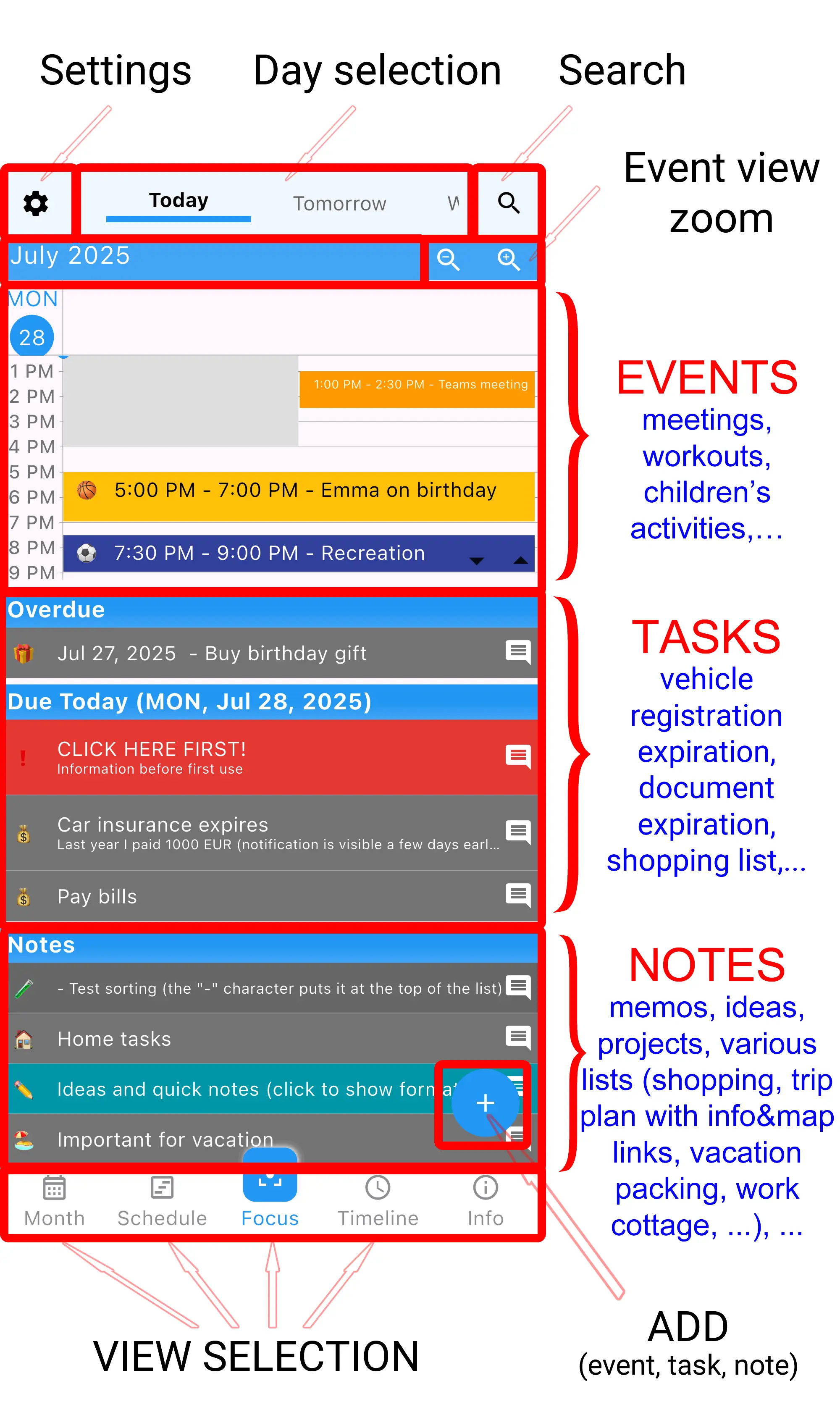
The Focus view is what makes this the best calendar and task app in one. Open the app and instantly see:
Everything you need to plan your day, on one screen, in one app. No switching required.
See events, tasks, and notes together. The signature feature that makes this truly all-in-one.
Full-featured calendar with recurring events, reminders, colors, and all standard features.
Create tasks with deadlines, priorities, subtasks. Everything a task manager should do.
Capture ideas instantly. Notes stay visible until you delete them.
Events and tasks work together naturally. Set task deadlines, see them on calendar.
Color-code events and tasks together. See work vs personal at a glance.
This calendar and task app in one works completely offline. No internet required.
No premium tier, no subscriptions. All features free forever.
Clean, distraction-free interface. Zero ads interrupting your workflow.
Download the only calendar and task app in one that's truly unified - Free forever
When you have back-to-back meetings and a growing task list, switching between calendar and task apps wastes precious time. A calendar and task app in one lets you see available time slots between meetings for task work, making scheduling realistic.
Class schedules are events, homework is tasks. Seeing both together helps students plan study time around their class schedule. Exam dates on calendar, assignment to-dos visible simultaneously.
Client meetings are events, project deliverables are tasks. A unified app shows when you're free to work on tasks between client calls. Essential for managing multiple projects.
Kids' activities are calendar events, household to-dos are tasks. Seeing both prevents overscheduling and ensures tasks get done around family commitments.
Open the Focus view. See you have a 9 AM meeting, then free until 2 PM, then another meeting. Your task list shows 3 priorities for today. You can realistically schedule task work between meetings because you see everything together.
Meeting ends early. Quick check of Focus view shows your next task. Complete it and mark done - all in the same app where you just saw your meeting end. No context switching.
Toggle Focus view to tomorrow. See you have three meetings and five tasks. That's too much. Move two tasks to another day - all visible in one interface. Realistic planning because you see complete workload.
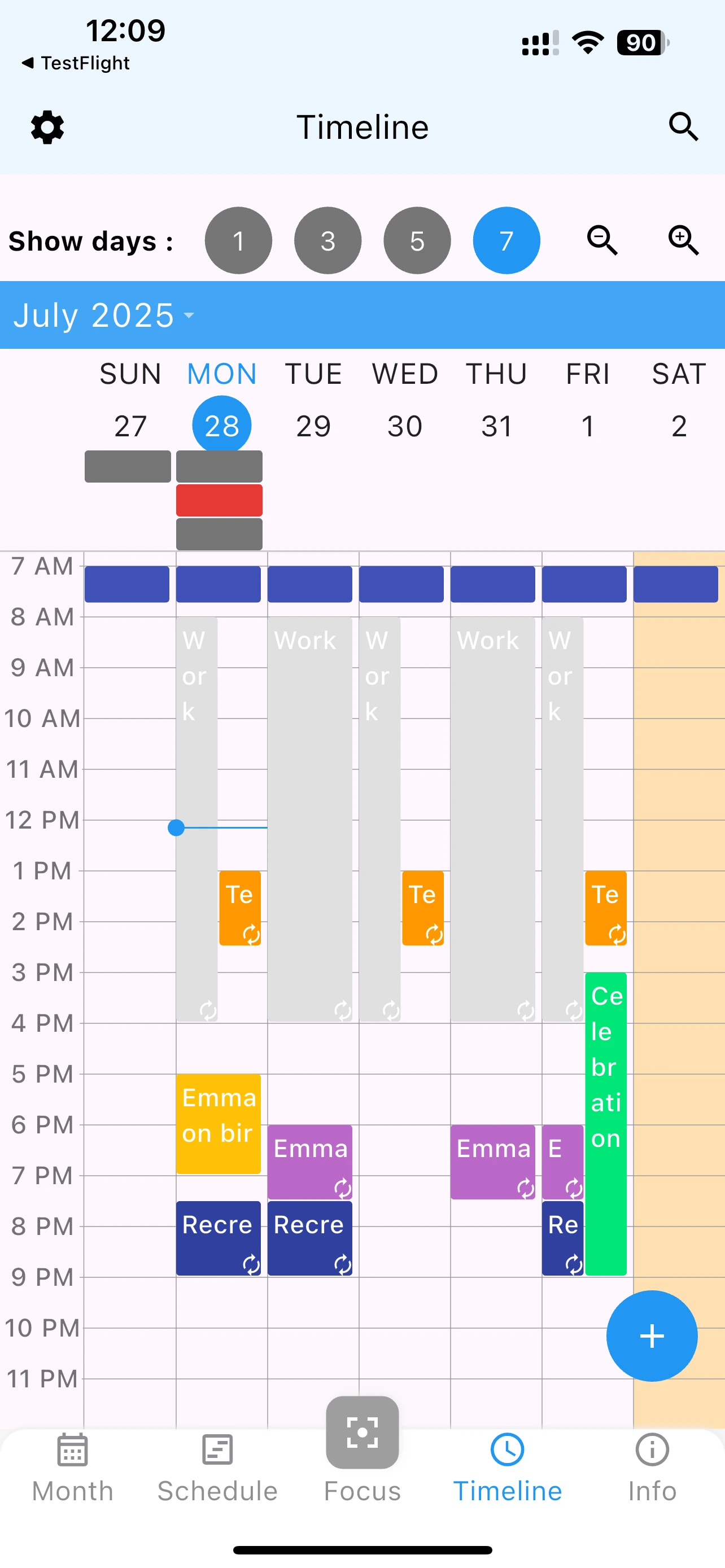
Review next week in Timeline view. See busy days and light days at once. Distribute tasks to lighter days before the week starts. This is only possible with a calendar and task app in one.
Google offers both features but in separate apps with no unified view. Our calendar and task app in one shows everything together on a single screen, making planning dramatically easier.
Yes! The Focus view is specifically designed to show your timeline of events with tasks listed directly below. This unified view is the core feature that makes this a true calendar and task app in one.
Yes, tasks with deadlines appear on the calendar. You can see task deadlines alongside calendar events, giving you complete visibility of your commitments.
Yes, unlike apps like TickTick or Todoist that charge for advanced features, this calendar and task app in one is completely free with full functionality.
Absolutely. Use colors and icons to visually organize both events and tasks. Work meetings in blue, personal events in green, urgent tasks in red - whatever system works for you.
Yes, this unified calendar and task app works identically on both iOS and Android with full feature parity.
The app can display Google Calendar events when connected to internet. For tasks, you'll need to migrate manually, but the unified interface makes it worth the one-time effort.
Yes! Notes are the third component. They appear at the bottom of the Focus view - perfect for shopping lists, ongoing project notes, or ideas that don't need specific dates.
"This unified view changed how I work. Seeing my meetings and to-dos together makes planning actually possible. Game changer!" - Product Manager
"I was using Google Calendar and Todoist separately. This one app does both better AND shows them together. Wish I found this sooner." - Freelance Designer
"Finally a calendar and task app in one that actually integrates them instead of just putting two separate views in one app. The Focus view is brilliant." - Software Developer
While the Focus view is the signature feature, this calendar and task app in one offers other views too:
Today's events, tasks, and notes on one screen. Your daily command center.
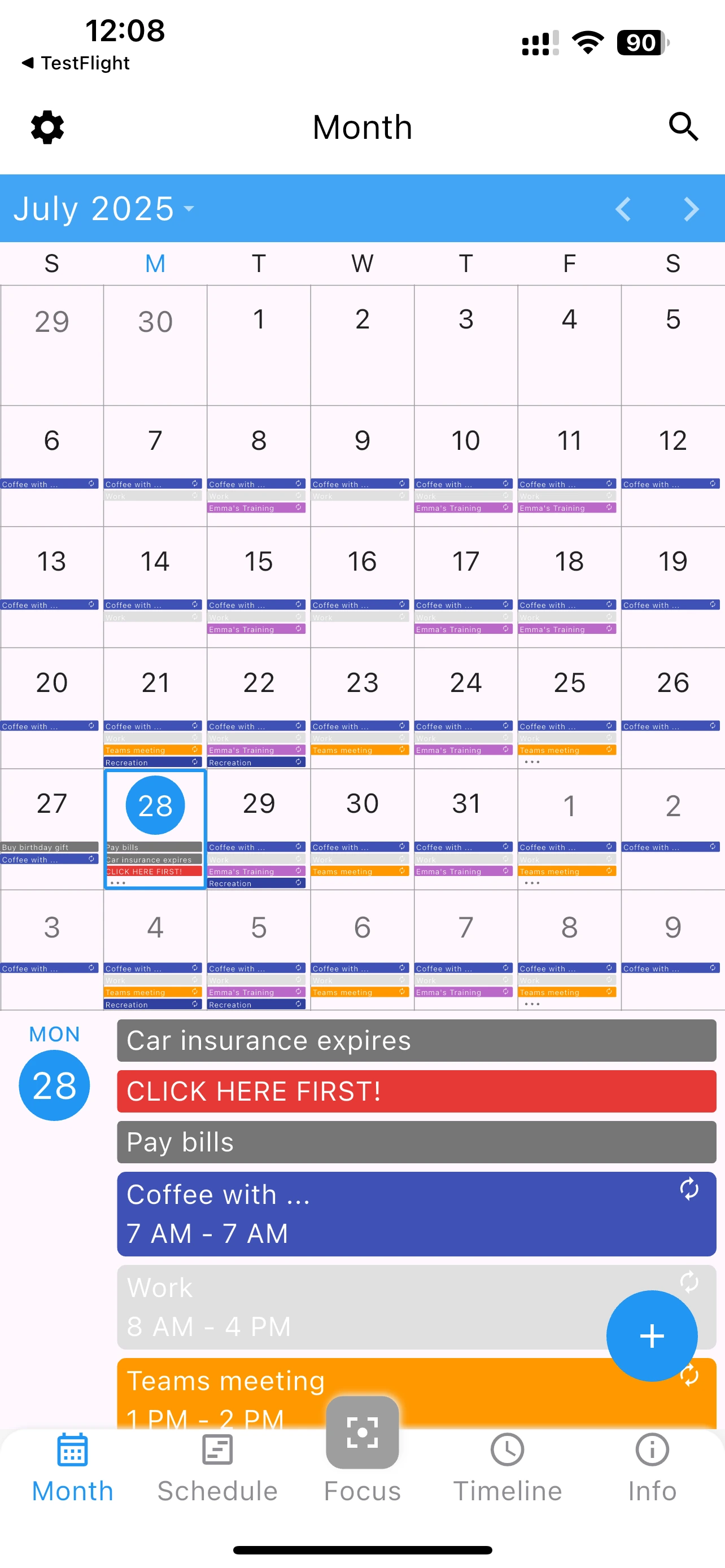
See full month with both events and task deadlines. Great for big-picture planning.
Day-by-day list showing events and tasks for each day. Perfect for week planning.
Graphical timeline showing 1, 3, 5, or 7 days. See time blocks visually.
Download the best calendar and task app in one - Completely free