Calendar App Color Coding
Organize your events visually with customizable colors


Organize your events visually with customizable colors
A calendar app color coding feature transforms how you view your schedule. Instead of reading event names, you instantly recognize event types by color. This visual organization saves time and reduces calendar stress.
Assign any color to any event category or type.
Instantly identify event types by color at a glance.
Color code by category: work, personal, health, family, etc.
Assign colors to family members or colleagues.
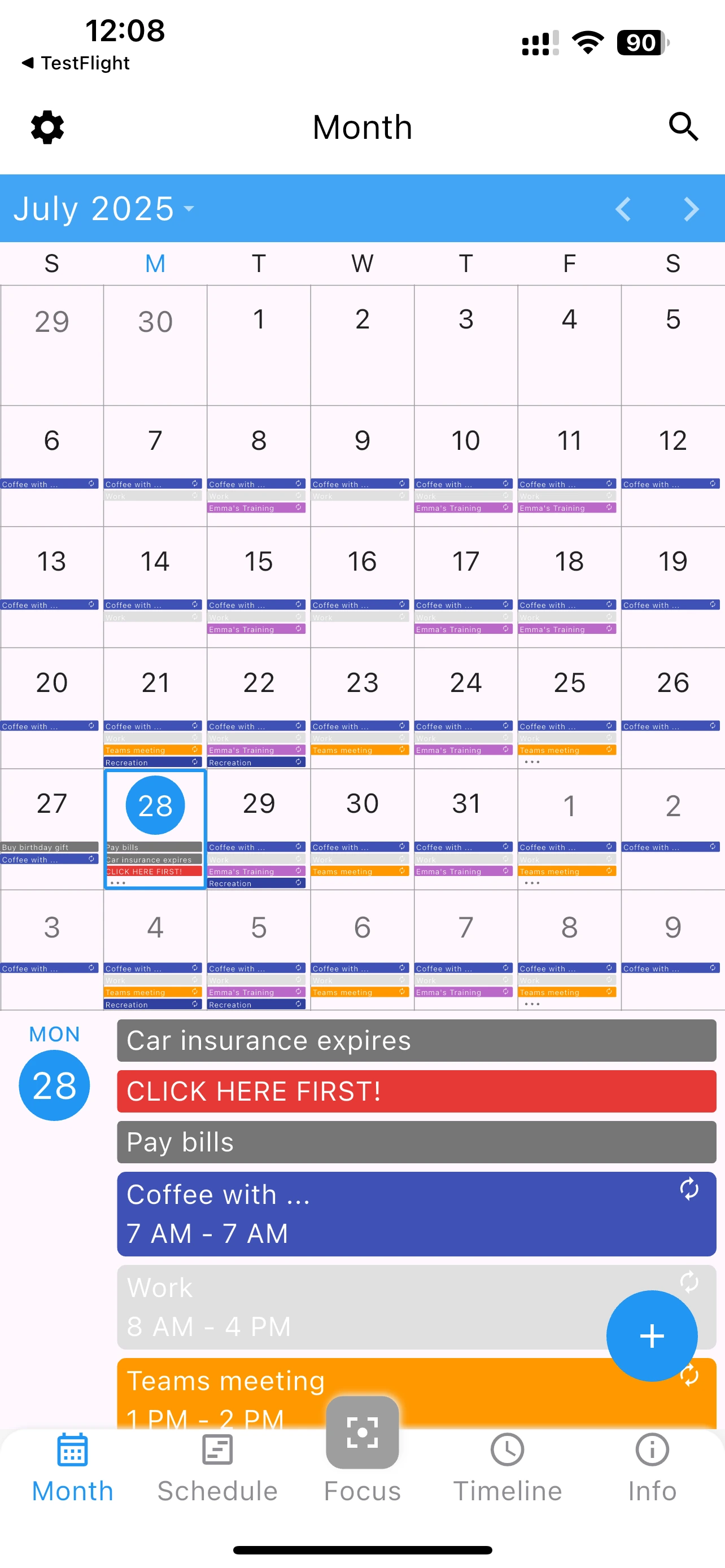
A calendar app color coding system should be intuitive and flexible. 365 Calendar provides both:
Organize your schedule visually with customizable color coding
Yes, colors can be updated or reassigned at any time. Your event organization is completely flexible.
365 Calendar offers a full palette of colors. Use as many as you need for complete organization.
Yes, your color assignments stay consistent across all your devices using 365 Calendar.