Calendar App for Seniors
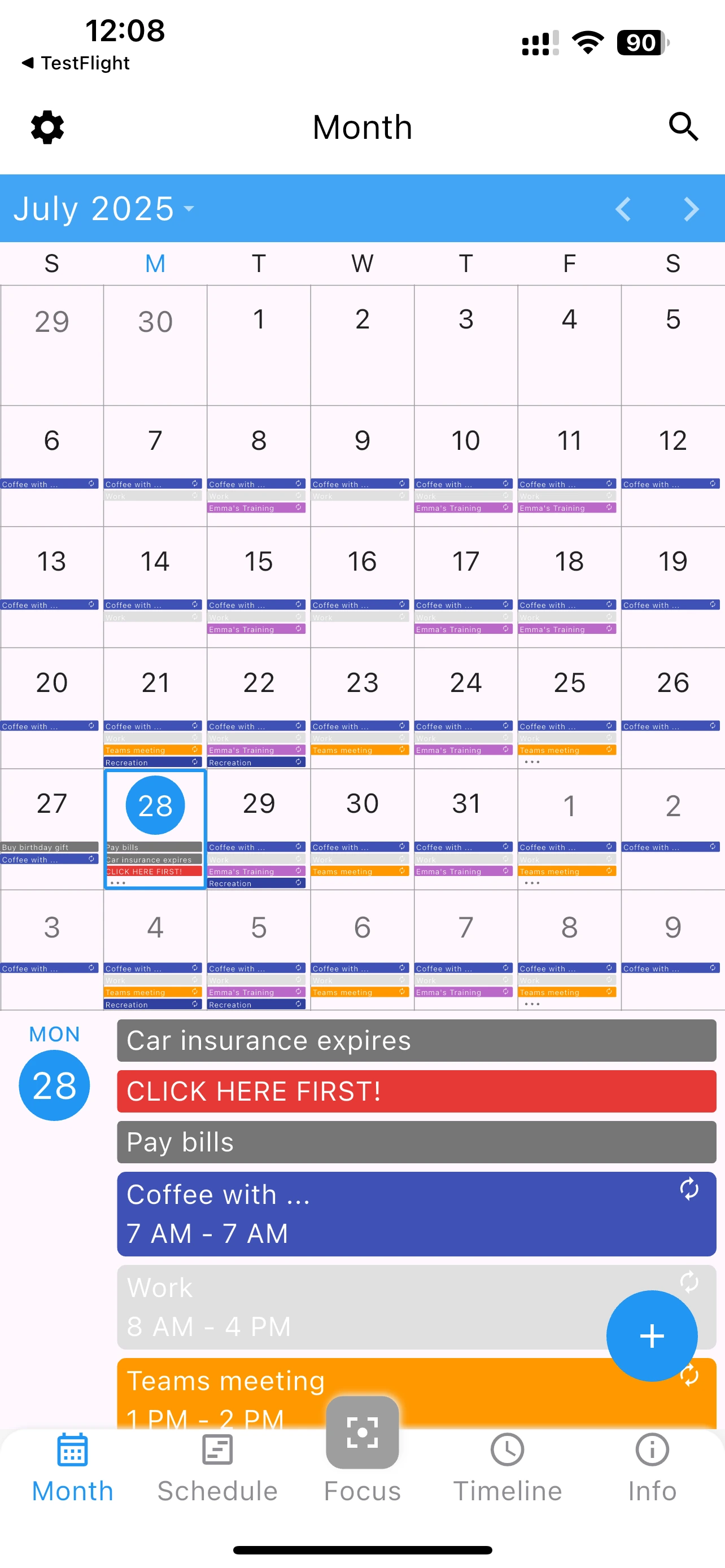
Easy to use with large text and simple design


Easy to use with large text and simple design
Technology should be accessible to everyone. Many modern apps are too complicated, with cluttered menus and tiny text. A calendar app for seniors should be different - simple, clear, and easy to use right away.
Adjustable font sizes make text comfortable to read. No strain on your eyes.
Large buttons and simple navigation. No confusing menus or hidden features.
Important events like doctor appointments with clear, loud reminders.
Track family events and birthdays. Stay connected with loved ones.
A calendar app for seniors should feel intuitive immediately, without requiring tutorials or technical knowledge. Here's why seniors choose 365 Calendar:
One of the most important uses for a calendar app for seniors is tracking medical appointments. 365 Calendar makes it easy:
Help your parents, grandparents, or seniors in your life stay organized
Yes. Most seniors can start using it within minutes of installation. The interface is straightforward with no complicated options.
Absolutely. It takes just a few minutes to install and configure basic settings. No special technical knowledge required.
No. 365 Calendar includes only essential features. There's no overwhelming menu of options to navigate.