Calendar with Reminders and Tasks
Everything you need for productivity in one unified app


Everything you need for productivity in one unified app
Managing your schedule efficiently requires more than just a calendar. A calendar with reminders and tasks keeps everything organized in one place, eliminating app switching and missed deadlines.
Set multiple reminders for each event. Get notified 5 minutes, 1 hour, or 1 day before important appointments.
Create and track tasks alongside your calendar events. See everything you need to do in one unified view.
View your calendar, reminders, and tasks together. No switching between multiple applications.
Automated reminders ensure you're always prepared and on time for important events.
A calendar with reminders and tasks operates on a simple principle: centralize all your scheduling needs. When you have events, reminders, and tasks in one app, you maintain better control and awareness of your commitments.
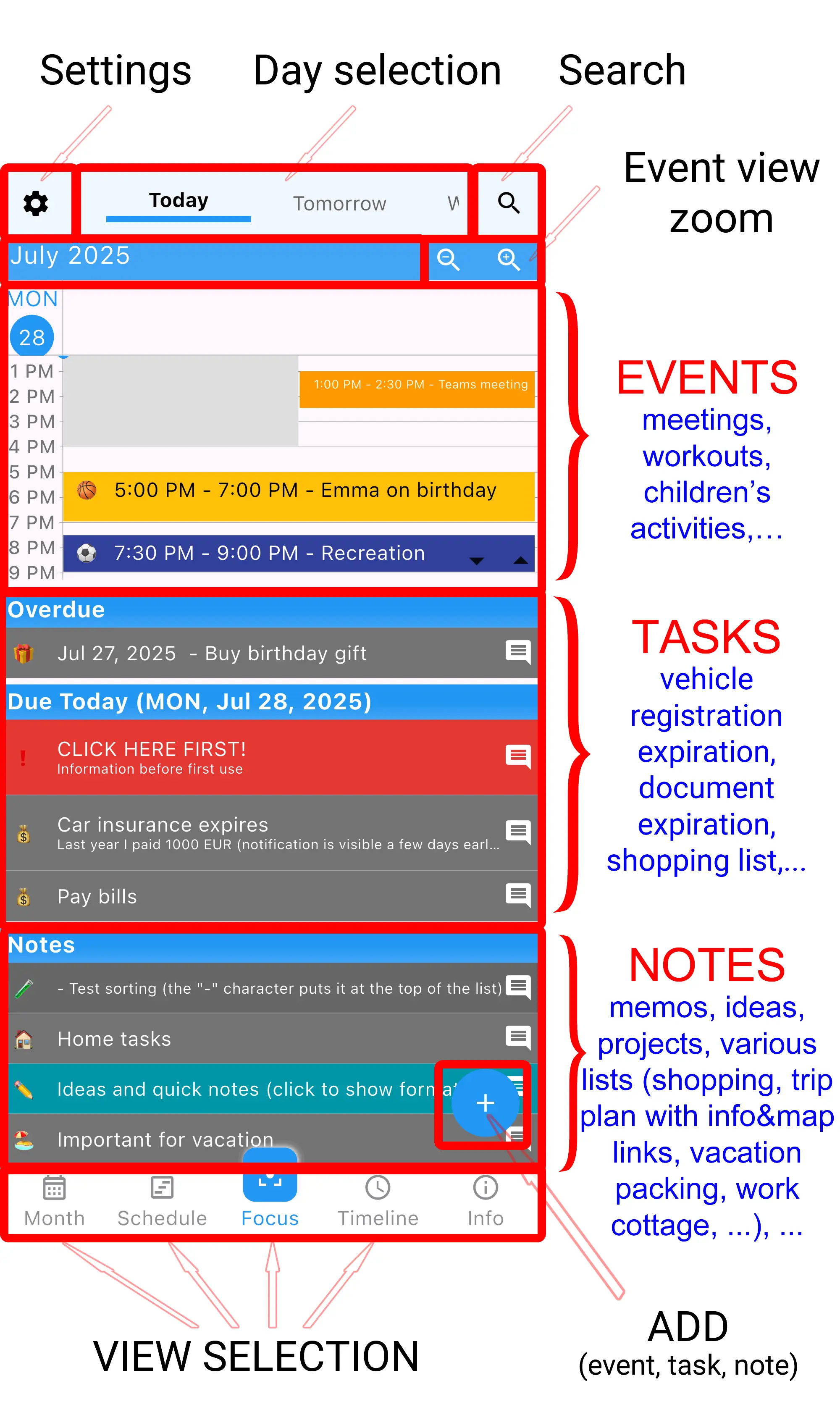
Set as many reminders as you need for each event. Common options include 5 minutes, 15 minutes, 30 minutes, 1 hour, 1 day, and custom times.
Tasks appear in your daily view alongside calendar events. Complete tasks by checking them off, and they're marked done.
Choose how you want to be reminded - sound, vibration, or silent notifications. Customize notification preferences for different event types.
One app for calendar, reminders, and tasks - completely free
Yes, you can set as many reminders as needed. For example, a work meeting could have reminders at 1 day before, 1 hour before, and 15 minutes before.
Events have specific dates and times. Tasks are flexible - they stay visible until you complete them, without time constraints.
Yes, reminders work even when the app isn't open. The system notifications will alert you at scheduled times.