Google Calendar Alternative Offline
Privacy-first calendar that works without the cloud


Privacy-first calendar that works without the cloud
Google Calendar is feature-rich but comes with privacy tradeoffs. A Google Calendar alternative offline like 365 Calendar offers the same functionality without tracking, data collection, or cloud dependency.
No data collection for advertising, no ad tracking, no third-party access to your schedule.
Works completely without internet. Your schedule stays on your device; only optional diagnostics leave it.
No subscriptions, no premium tier, no surprise charges.
Clean interface without advertisements or distractions.
| Feature | 365 Calendar | Google Calendar |
|---|---|---|
| Cost | Free Forever | Free (with limitations) |
| Privacy | Complete Privacy | Data collection for ads |
| Offline Access | Full Offline | Limited/read-only offline |
| Cloud Dependency | No Cloud Required | Requires Google Account |
| Ads | Zero Ads | Ad-free but data tracked |
| Data Ownership | 100% Your Data | Google owns your data |
| Multiple Reminders | ✓ Unlimited | ✓ Limited |
| Color Coding | ✓ Yes | ✓ Yes |
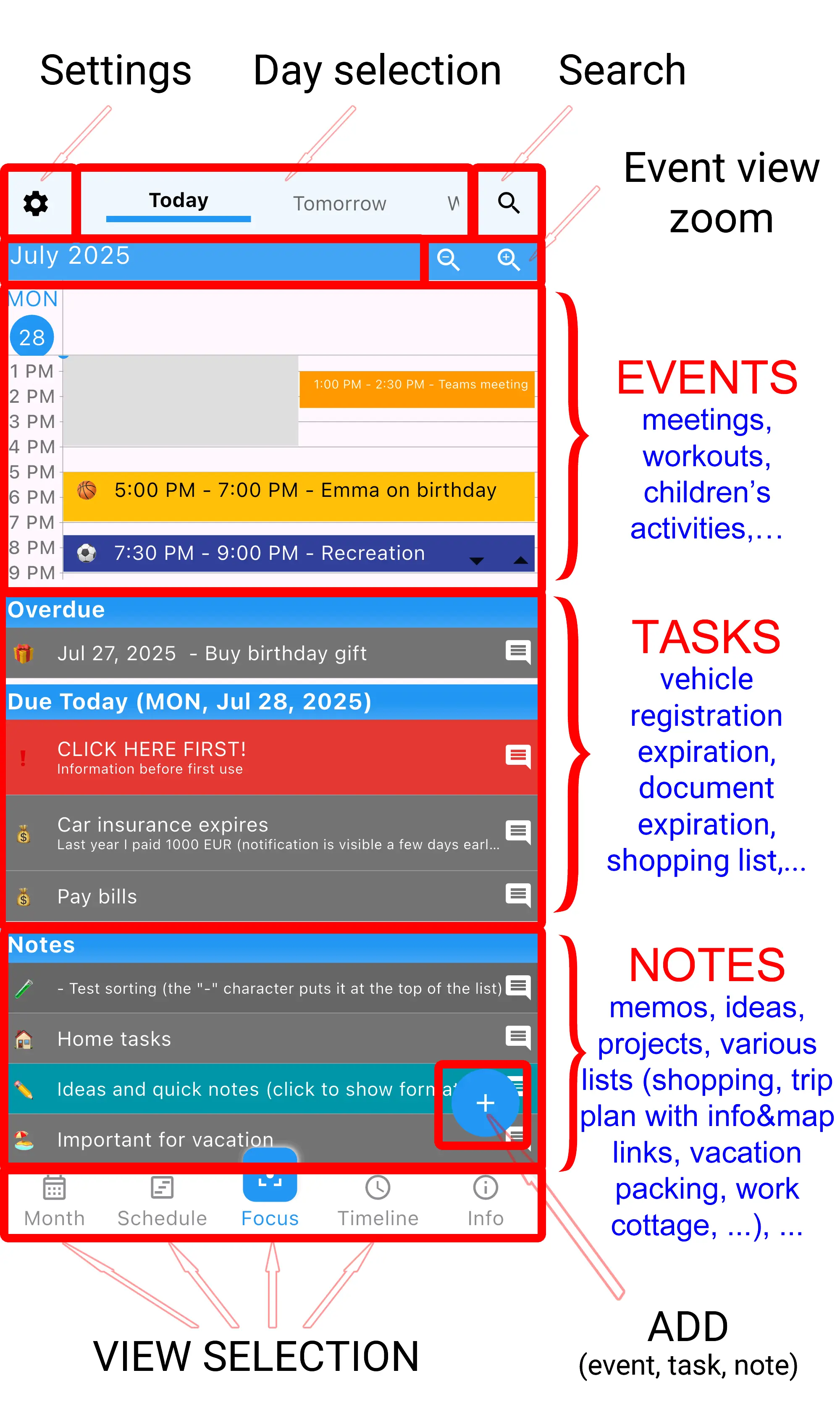
A Google Calendar alternative offline gives you independence and control. Here's why users switch:
Download 365 Calendar from your app store.
Open 365 Calendar → Settings → Google Calendar.
Sign in with your Google account and choose the calendars you want to see.
Your events now live in 365 Calendar, and daily use works without internet.
Get a Google Calendar alternative that respects your privacy
Yes — sign in with your Google account and your Google calendars appear in the app.
No, 365 Calendar has all essential features plus privacy benefits. You gain more than you lose.
For privacy and offline use, absolutely. For features, it's comparable. Choose 365 if you value privacy and independence.