🤖 Android Optimized
Offline Calendar App for Android
The best calendar app that works completely offline on your Android device

The best calendar app that works completely offline on your Android device
Android users need reliable calendar apps that work without constant internet connectivity. Whether you're on a flight, in a subway, traveling internationally, or just want to save mobile data, an offline calendar app for Android ensures your schedule is always accessible.
Unlike cloud-based calendars like Google Calendar that require internet for most features, a true offline calendar app for Android stores all data locally on your device. This means faster performance, better privacy, and zero dependency on network connectivity.
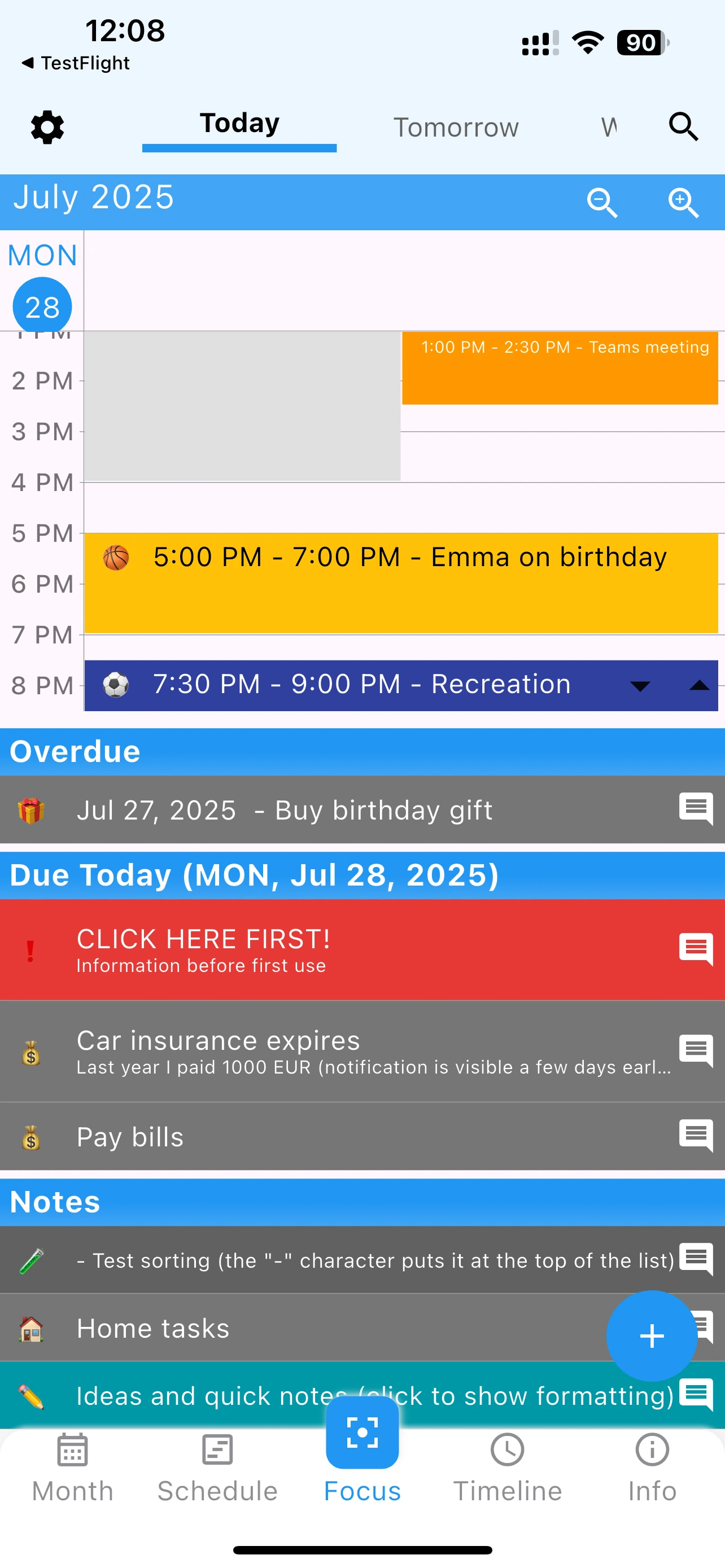
Add Android widgets to see your schedule without opening the app. Multiple sizes available.
Optimized for Android's battery management. No background sync draining your power.
Store backup files on external storage. Perfect for Android tablets with expandable memory.
Rich notifications with actions. Snooze or complete tasks directly from notification.
Follows Android design guidelines. Feels native on your Samsung, Pixel, or any Android phone.
Complete functionality without internet. Perfect offline calendar app for Android users.
Install 365 Calendar & Tasks from the official Google Play Store. Small download size under 20MB.
No account creation required. The app works immediately - completely offline on your Android device.
Create calendar events, tasks, and notes. Everything is stored locally on your Android phone.
Add home screen widgets, choose colors, set reminders. Make it perfect for your Android experience.
When you have internet, optionally back up your data. But daily use works 100% offline.
| Feature | 365 Calendar | Google Calendar | Outlook Calendar | Samsung Calendar |
|---|---|---|---|---|
| Works Fully Offline | ✓ | ✗ | ✗ | ✓ |
| Android Widgets | ✓ | ✓ | ✓ | ✓ |
| Task Manager Included | ✓ | ✗ | ✓ | ✗ |
| No Ads | ✓ | ✓ | ✓ | ✓ |
| 100% Free | ✓ | ✓ | ✗ | ✓ |
| No Account Required | ✓ | ✗ | ✗ | ✗ |
| All Android Versions | ✓ | ✓ | ✓ | Samsung Only |
Verdict: 365 Calendar & Tasks is the best offline calendar app for Android because it combines complete offline functionality with task management, requires no account, and works on all Android devices - not just one brand.
Free, no ads, works perfectly offline on any Android device
This offline calendar app for Android is optimized for:
Whether you have a flagship phone or budget Android device, this offline calendar works flawlessly on Android 8.0 and above.
One of the best features of an offline calendar app for Android is widget support. Add these to your home screen:
See the full month at a glance. Tap any date to view details.
Today's events and tasks listed. Quick access from home screen.
Shows your next upcoming event. Never miss important meetings.
Yes, 365 Calendar & Tasks works completely without WiFi or mobile data. All features are available offline including creating events, managing tasks, setting reminders, and viewing your schedule.
Absolutely! This offline calendar app is optimized for both Android phones and tablets. The interface adapts to larger tablet screens for an enhanced viewing experience.
Yes, when you have internet connection, the app can display events from Google Calendar. However, the app works 100% offline for locally created events and tasks.
Yes, 365 Calendar & Tasks is completely free for Android with no premium features, subscriptions, or ads. All functionality is available at no cost.
While Samsung Calendar works well on Samsung devices, our offline calendar works on ALL Android devices. It also includes integrated task management and notes, which Samsung Calendar lacks.
Yes, the app offers multiple widget styles and sizes. You can customize colors, choose what information to display, and resize widgets to fit your Android home screen perfectly.
The app supports Android 8.0 (Oreo) and above, which covers 95% of active Android devices. It's optimized to run smoothly even on older or budget Android phones.
The app itself is under 20MB. Your calendar data is stored locally and typically uses just 1-5MB depending on how many events and tasks you create.
"Perfect for my Samsung Galaxy! The widgets are beautiful and it works great without internet when I'm traveling." - Android User
"Finally found an offline calendar for Android that actually works. No more Google account required!" - Pixel User
Join thousands of Android users who've switched to offline scheduling