Task Scheduler Calendar App
Organize, prioritize, and manage tasks in one unified calendar


Organize, prioritize, and manage tasks in one unified calendar
A task scheduler calendar app combines event management with task management in one unified interface. Instead of juggling separate apps for calendar events and to-do lists, you get everything in one place for maximum productivity.
365 Calendar integrates both calendars and task scheduling, letting you see your schedule and tasks together at a glance.
View events and tasks on the same calendar view. Never miss appointments or deadlines.
Give each task its own colour, so you can see at a glance what belongs together.
Set due dates and get reminders so nothing falls through the cracks.
Switch between daily, weekly, monthly, and timeline views to see your schedule your way.
Check off completed tasks and track your productivity progress.
Add a subtitle and notes to your tasks for context.
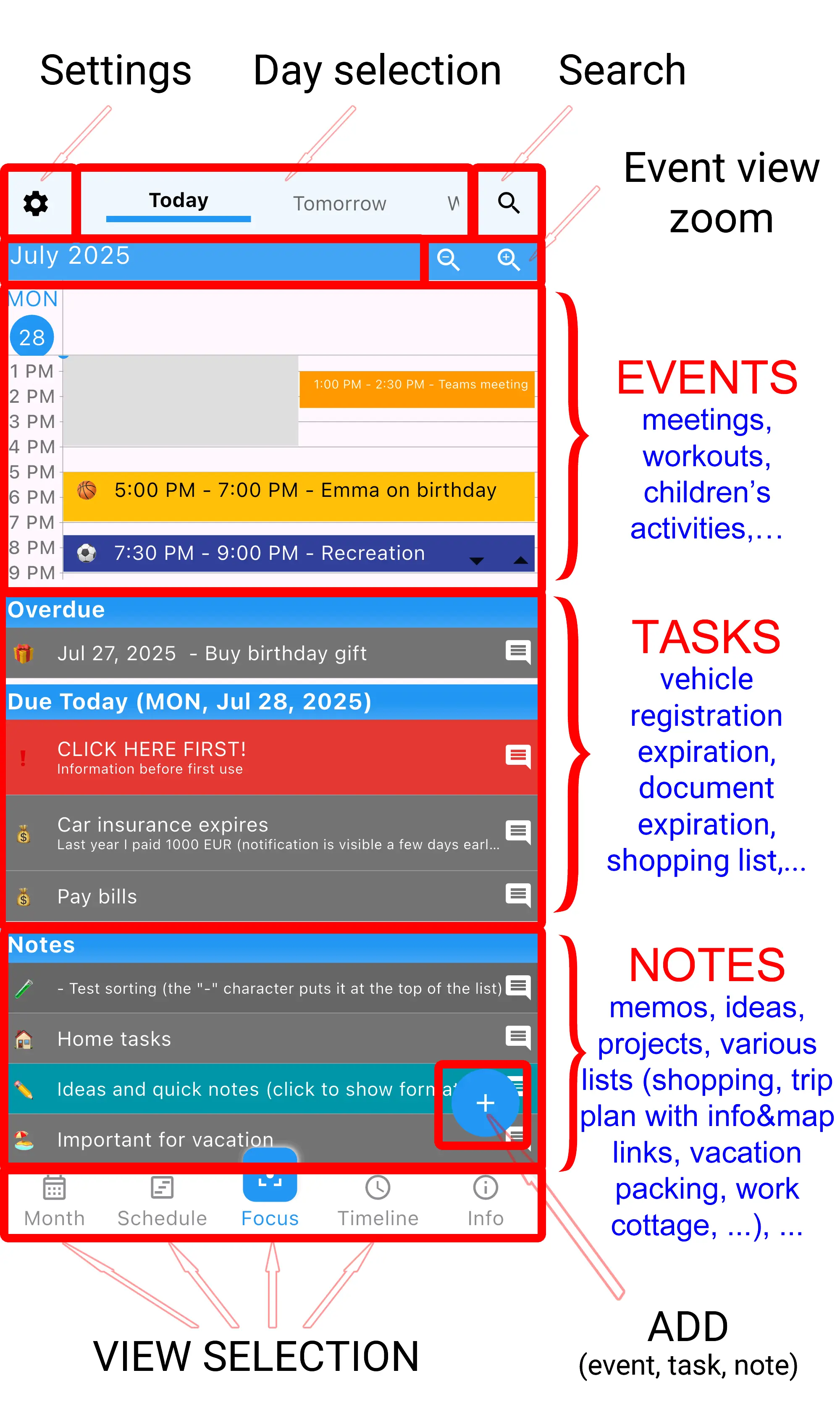
Instead of switching between apps, your calendar and tasks live in one place. Your schedule and responsibilities are always in sync.
Seeing tasks and events together helps you allocate time realistically. You can't overbook yourself when everything is visible at once.
Priorities become clear when you see the complete picture. Focus on high-priority tasks that align with your calendar commitments.
Nothing gets forgotten. With reminders and deadline tracking, you stay on top of everything.
At the start of each week, add all events and tasks. See your week at a glance.
Each morning, review your tasks and mark high-priority items. This focuses your day.
Consider your calendar when setting task deadlines. Avoid overloading yourself.
Set reminders for important tasks and events. Let the app nudge you at the right time.
Weekly, review what you accomplished. Adjust your approach for next week.
Try 365 Calendar - the task scheduler calendar app that actually works
Why use one task scheduler calendar app instead of separate calendar and to-do apps?
Yes, 365 Calendar lets you create multiple calendars with different colors. Assign tasks to specific calendars for color-coded organization.
Mark tasks as complete when finished. 365 Calendar shows completed tasks separately so you can see your progress.
Yes, create recurring tasks for daily, weekly, or monthly reminders. Perfect for habits and regular responsibilities.